Get the transcript of any YouTube video
To get the transcript of a YouTube video, open it in Chrome with Video Transcriber: the panel next to the player shows the video’s captions as clean text at once, in paragraphs with timestamps. If the video has no captions, the AI transcript writes the text from the audio, usually in a few minutes.
Add to Chrome — it’s free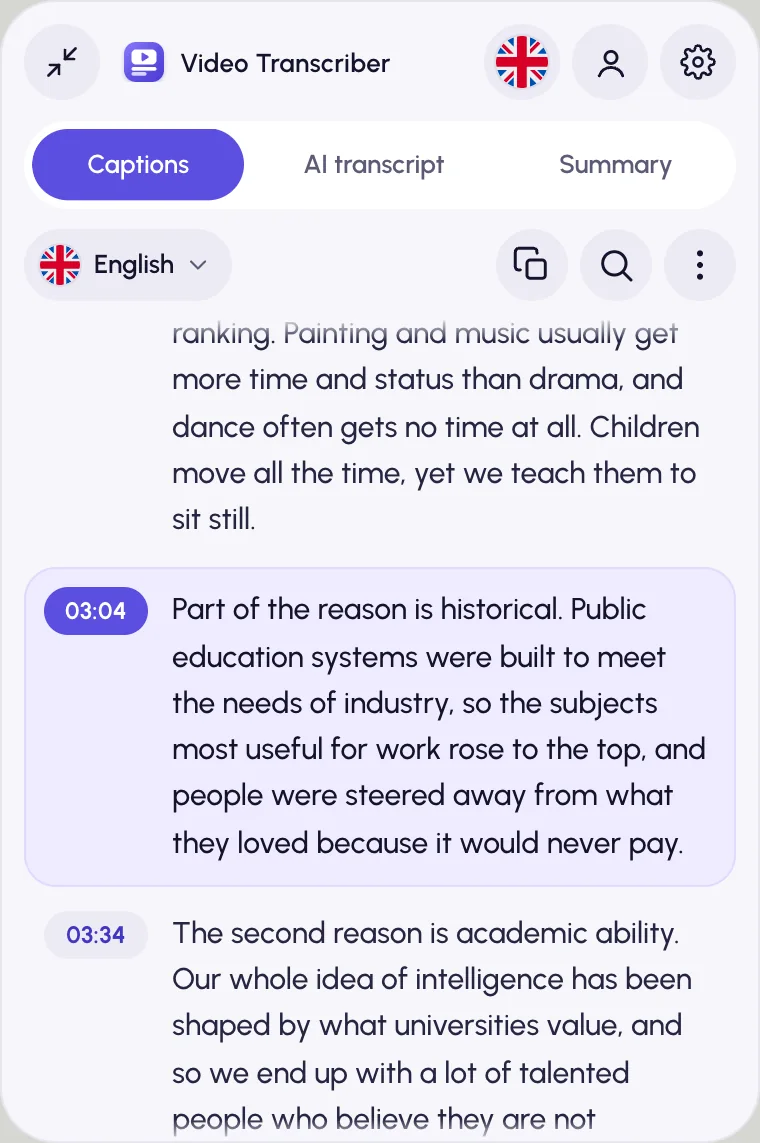
How to get a YouTube transcript
Add Video Transcriber to Chrome
Install it from the Chrome Web Store. No sign-up needed.
Open the video on YouTube
The panel docks beside the player, and the Captions tab shows the transcript. No captions? Open AI transcript and press Transcribe audio.
Copy or save it
The copy button copies the text with timestamps; the ⋮ menu has Copy without timestamps and Save as text (.txt) or subtitles (.srt, .vtt).
More than the transcript button
Easy to read
Captions are joined into paragraphs that follow the video. Click a timestamp to jump there, or search the text.
Works without captions
No captions, or only auto-generated ones? The AI transcript writes the text with punctuation. On YouTube, Google Gemini gets only the video’s public link.
Summary and Ask
Get a short summary, detailed notes or chapters with clickable times, then ask the video your own questions.
In your language
Translate the transcript and read it alone or side by side with the original, also as subtitles over the video.
At a glance
- With captions
- The transcript at once, on the Captions tab
- Without captions
- AI transcript of the whole video, usually in a few minutes
- Export
- Copy with or without timestamps; save as TXT, SRT or VTT
- Runs in
- Google Chrome on desktop: Windows, macOS, Linux, ChromeOS
- Price
- Free, no sign-up. AI within fair daily limits per account: 2 hours of AI transcription and 20 summaries or questions, plus limits on translation and filler-word removal
YouTube transcript questions
What if a YouTube video has no transcript?
Open the AI transcript tab and press Transcribe audio. The whole video is usually transcribed in a few minutes, without playing it: videos up to 4 hours long, up to 2 hours of video per account a day. Past the daily limit, the panel says so and you continue the next day.
Can I copy the transcript without timestamps?
Yes. The copy button copies it with a timestamp on every paragraph, and the ⋮ menu has Copy without timestamps for clean paragraphs. The panel remembers the format you chose last.
Does it work on YouTube live streams?
Yes. On a live stream the panel switches to live mode and writes the text as the stream plays. See live stream transcription.
Is it free?
Yes, with no sign-up. Captions, search, copy and export are free with no limits; AI transcripts are free within a fair daily limit of 2 hours per account.
Does it work in Firefox, Safari, Edge or on a phone?
Video Transcriber is a Chrome extension for desktop computers. Firefox, Safari and mobile browsers aren’t supported, and other Chromium-based browsers, such as Edge, aren’t officially supported.
More ways to use Video Transcriber
- Videos on any siteTranscribe a video on any website, not only YouTube, with timestamps and nothing to upload.
- AI video summariesSummarize any video as a short gist, detailed notes or chapters, then ask it questions.
- Video translationTranslate a video’s transcript and read both languages side by side or as subtitles.
Your next video, as text.
Free, and installs in seconds.
- 1Open Video Transcriber in the Chrome Web Store
- 2Click Add to Chrome, then Add extension
- 3Pin it from the puzzle icon next to the address bar